The Household Money Planner
A budget, a debt payoff planner and a savings goal calculator in one Excel workbook. The same formulas as the free calculators on this site, in a file that remembers your figures between sittings.
Buy once and download immediately. The file is an ordinary .xlsx workbook that opens in Excel, Numbers, LibreOffice and Google Sheets.
Why buy a spreadsheet when the calculators are free?
An honest answer, since the calculators here are free and always will be. The calculators are deliberately private: nothing you type is stored, which also means nothing you type is kept. Close the tab and it is gone. That is the right trade for a quick answer, and the wrong one if you want to track something month after month.
This workbook is for the second case. Your figures stay in the file, on your own computer, so you can come back in a month and change one number rather than starting again. It also puts the budget, the debts and the savings goal in one place, which the separate calculators cannot do.
If you only need a number today, use the free tools and keep your £9.
What is in it
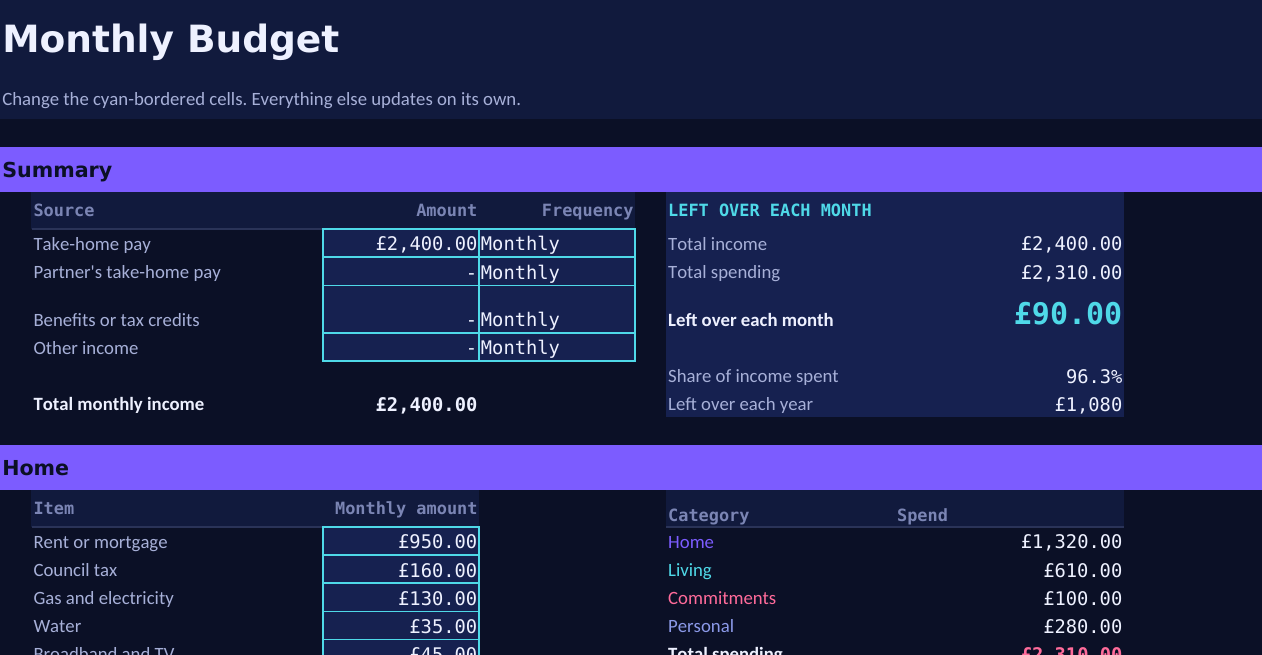
Monthly Budget · income, spending by category, and what is left
The Monthly Budget tab groups spending the same way the free budget calculator does, into home, living, commitments and personal, and works out your surplus or shortfall along with the share of your income being spent. A chart shows where the money actually goes, which is usually more revealing than the totals.
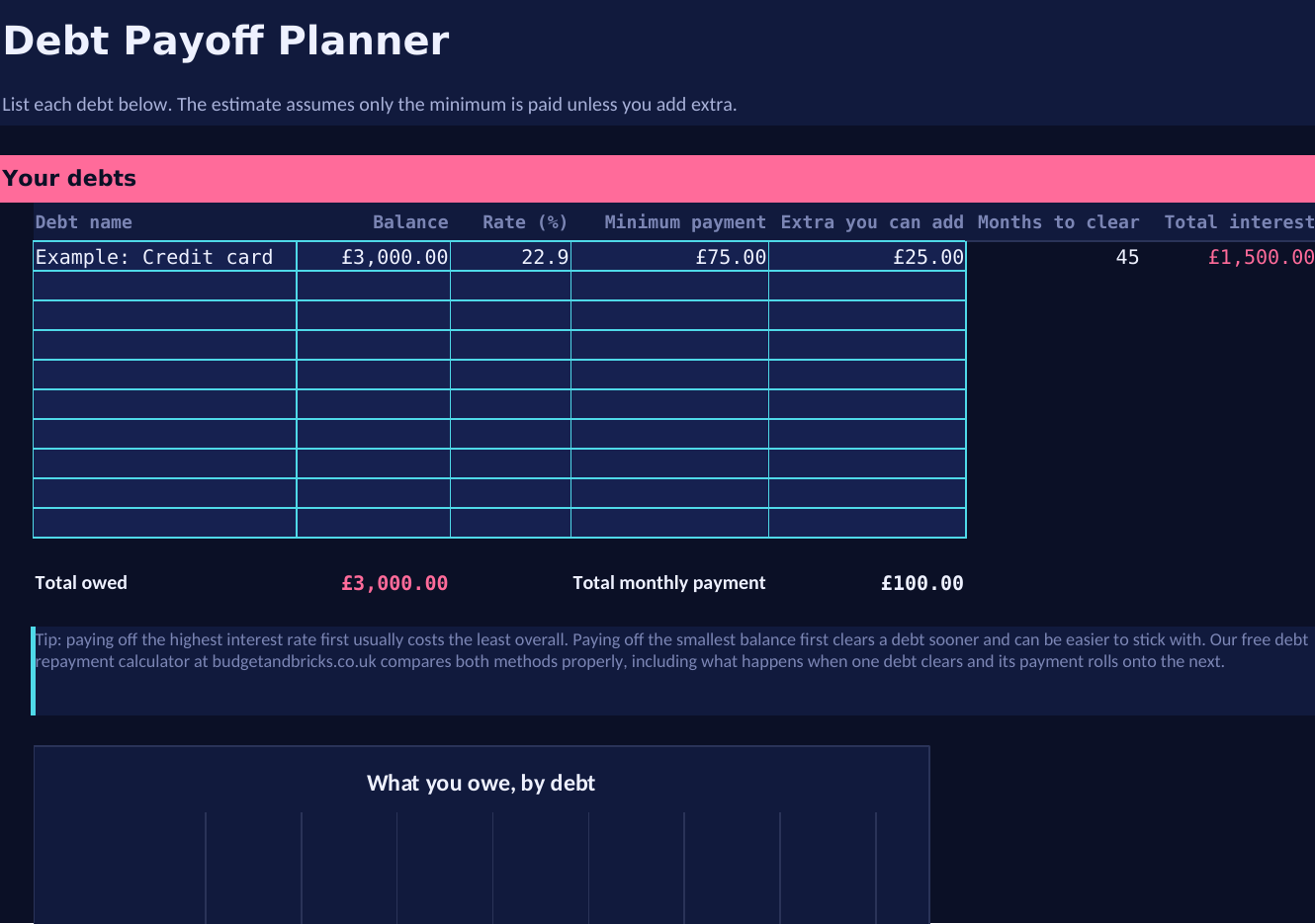
Debt Payoff Planner · up to ten debts, with months to clear and interest
The Debt Payoff Planner takes up to ten debts and estimates how long each takes to clear and what it costs in interest, including anything extra you can put towards it. A chart shows the balances side by side.
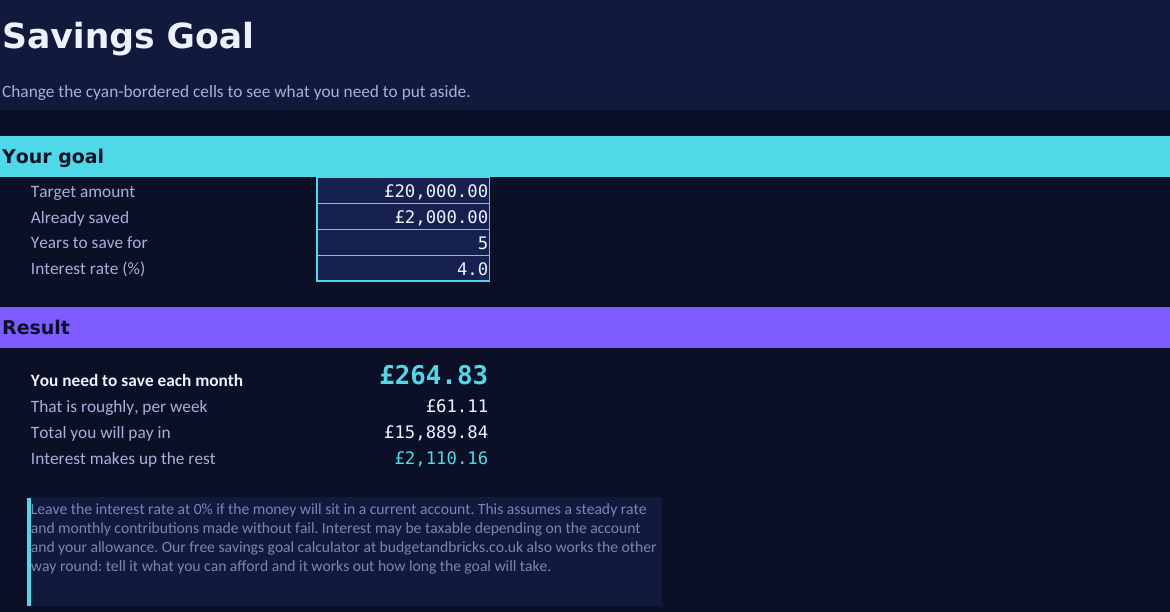
Savings Goal · what you need to put aside, and how the pot builds
The Savings Goal tab works out what you need to save each month to reach a target, including what interest contributes, with a projection showing how the pot builds across the term you choose.
How it is built
Every figure is a live formula rather than a typed-in result, so changing one number updates everything that depends on it. The formulas are the same ones behind the free calculators on this site, which are published on each calculator page along with their assumptions and limitations. Nothing is hidden or locked, so you can look at any formula, change it, or add your own rows.
The cells you fill in are marked with a cyan border. Everything else calculates itself.
| Format | Excel workbook (.xlsx), four tabs including a short guide to using it |
|---|---|
| Opens in | Microsoft Excel, Apple Numbers, LibreOffice Calc, Google Sheets |
| Currency | Pounds sterling throughout |
| Delivery | Immediate download after payment, through Payhip |
| Licence | For your own personal use. Not for resale or redistribution. |
| Updates | Free for anyone who has bought it. You will be told how to get them at the point of purchase. |
What it does not do
Worth stating plainly, in the same spirit as the limitations published on every calculator here.
- It does not connect to your bank or import transactions. You type the figures in.
- The debt tab estimates each debt separately. It does not model rolling a cleared debt's payment onto the next one, which the free debt repayment calculator does properly for both the snowball and avalanche methods.
- The savings projection assumes a steady interest rate and contributions made without fail, which is a simplification of how saving actually goes.
- It is a planning tool, not financial advice, and no figure in it is a recommendation.
If something is wrong with it
Email moneyplanadmin@gmail.com and tell me what you found. A formula error in a money spreadsheet matters, and I would rather fix it and reissue the file than not know. Refunds are handled through Payhip if the file is not what you expected.